Take notes. Without limits.
A simple interface.Powerful tools.
For iPad, iPhone, and Mac
Arrange handwriting, images, and mind maps freely. Let your ideas grow in every direction.
Explore Infinite NotesGreat tools. Right at hand.
From writing to review, make every note a little easier.

Native Drawing Tools
Use the system tool palette on supported iPad models and write naturally with familiar pens.
Learn More
Present and Teach
Highlight key points with a laser pointer and show where you touch as you explain, making each step easier to follow.
Learn More
PDF Annotation
Highlight passages and add your thoughts beside slides and papers. Keep your reading and thinking on the same page.
Learn More
Audio Notes
Record lectures or meetings and place audio cards in your notes to capture the details beyond the words you write.
Learn More
Calculate and Convert
Do calculations and convert units beside your notes. Copy the result and keep your thoughts flowing.
Learn More
Focus Timer
Time your practice with a stopwatch or set a countdown for a study session. Focus on the task at hand.
Learn More
Study Tape
Cover an answer and try to recall it. Tap to reveal and check, turning your notes into practice questions.
Learn More
Hold to Shape
Pause at the end of a stroke to turn a simple sketch into a neat shape. Drawing can be this easy.
Learn More
Drawing Ruler
Rotate the ruler and draw along its edge. Add clean, straight lines to make diagrams and annotations clearer.
Learn More
Drawing Compass
Set the center, adjust the radius, and draw circles and arcs. Explore geometry right in your notes.
Learn More
Mind Maps
Branch out from a topic and connect scattered ideas. Bring structure to your knowledge and plans.
Learn More
Math Equations
Enter fractions, superscripts, subscripts, and equations with LaTeX. Make every step of your reasoning clear.
Learn More
Pins
Mark key points and open questions. Return straight to the spot you need the next time you review.
Learn More
Canvas Tables
Arrange information in rows and columns to compare details, make plans, and bring order to your canvas.
Learn More
Some features require Premium. See the relevant guide for availability.
Apple’s native handwriting.
An infinite canvas.
Write freely.
From handwritten annotations to tables and mind maps, give your ideas room to grow.
Explore All FeaturesWrite naturally.
Express yourself freely.
Apple’s native handwriting experience, with your favorite pens close at hand.
Explore Handwriting and Drawing ToolsDraw freely.
Keep it neat.
Hold to shape and scribble to erase. Drawing and editing feel effortless.
Explore Drawing and EditingFind the key point.
Add your perspective.
Mark up and annotate PDFs to take something away from every read.
Explore PDF Annotation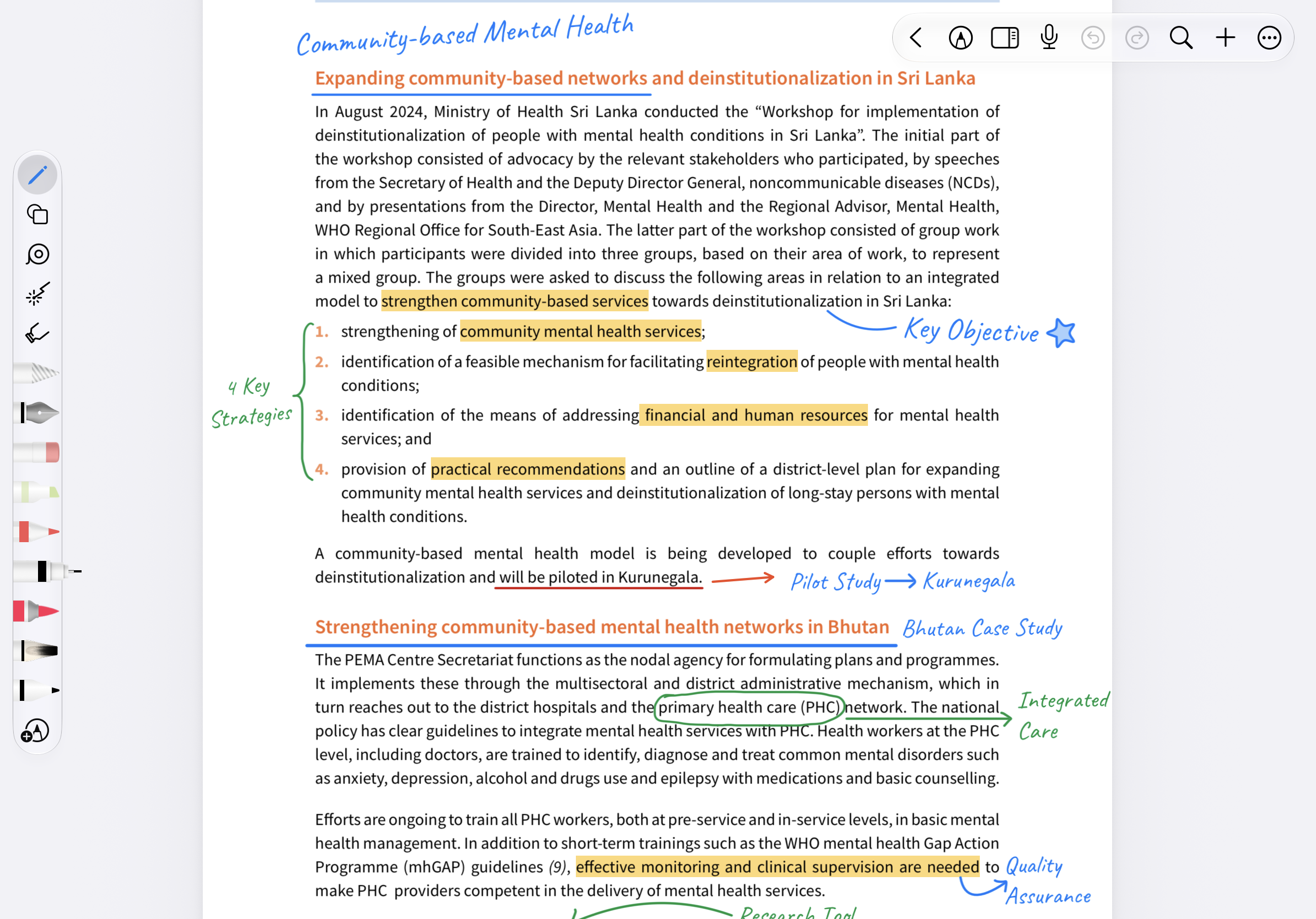
Organize information.
See the connections.
Organize with tables and branch out with mind maps. Give your ideas structure.
Explore Tables and Mind Maps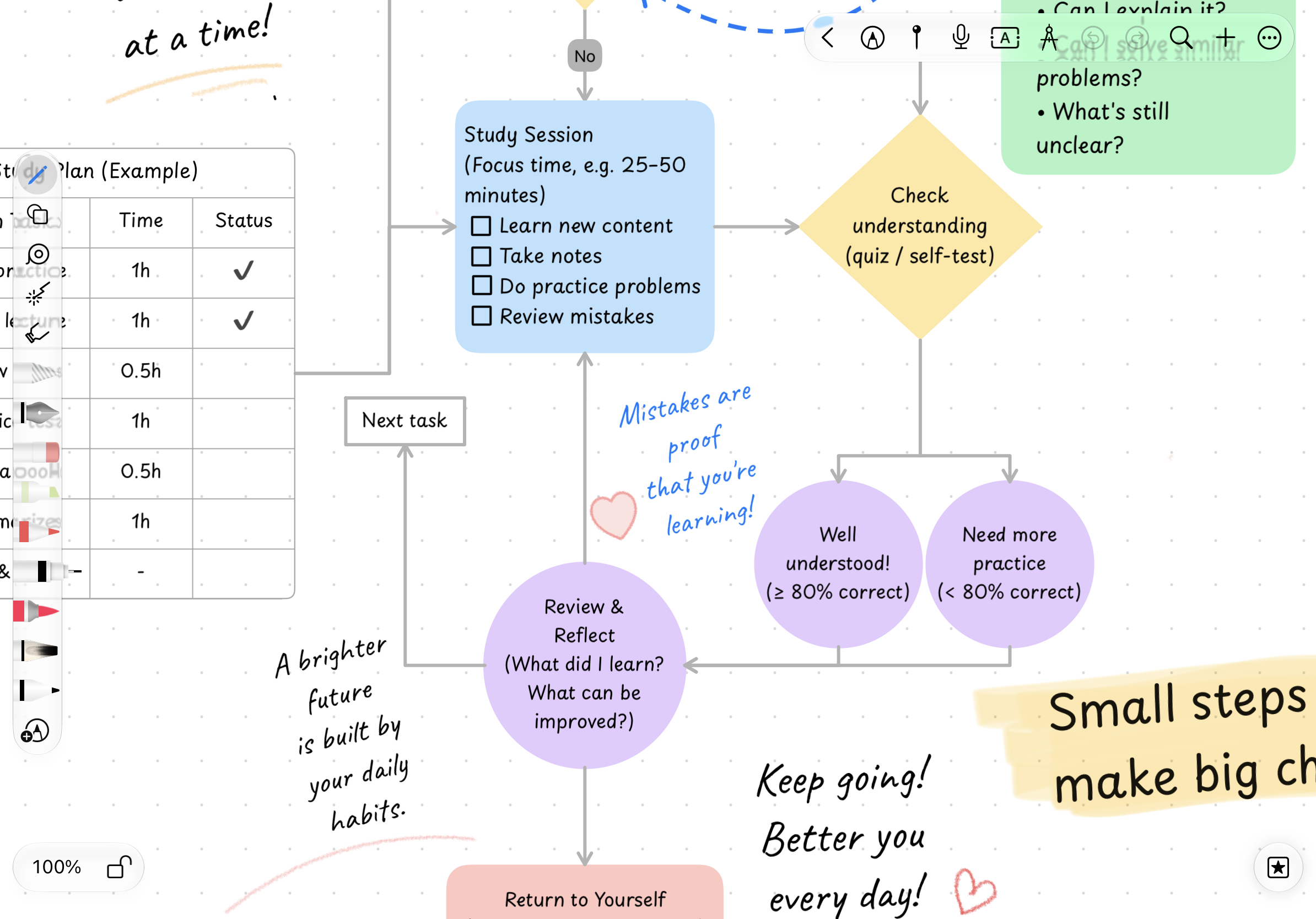
Mark what matters.
Return anytime.
Drop a pin and find your way back to important content with ease.
Explore Pins and Review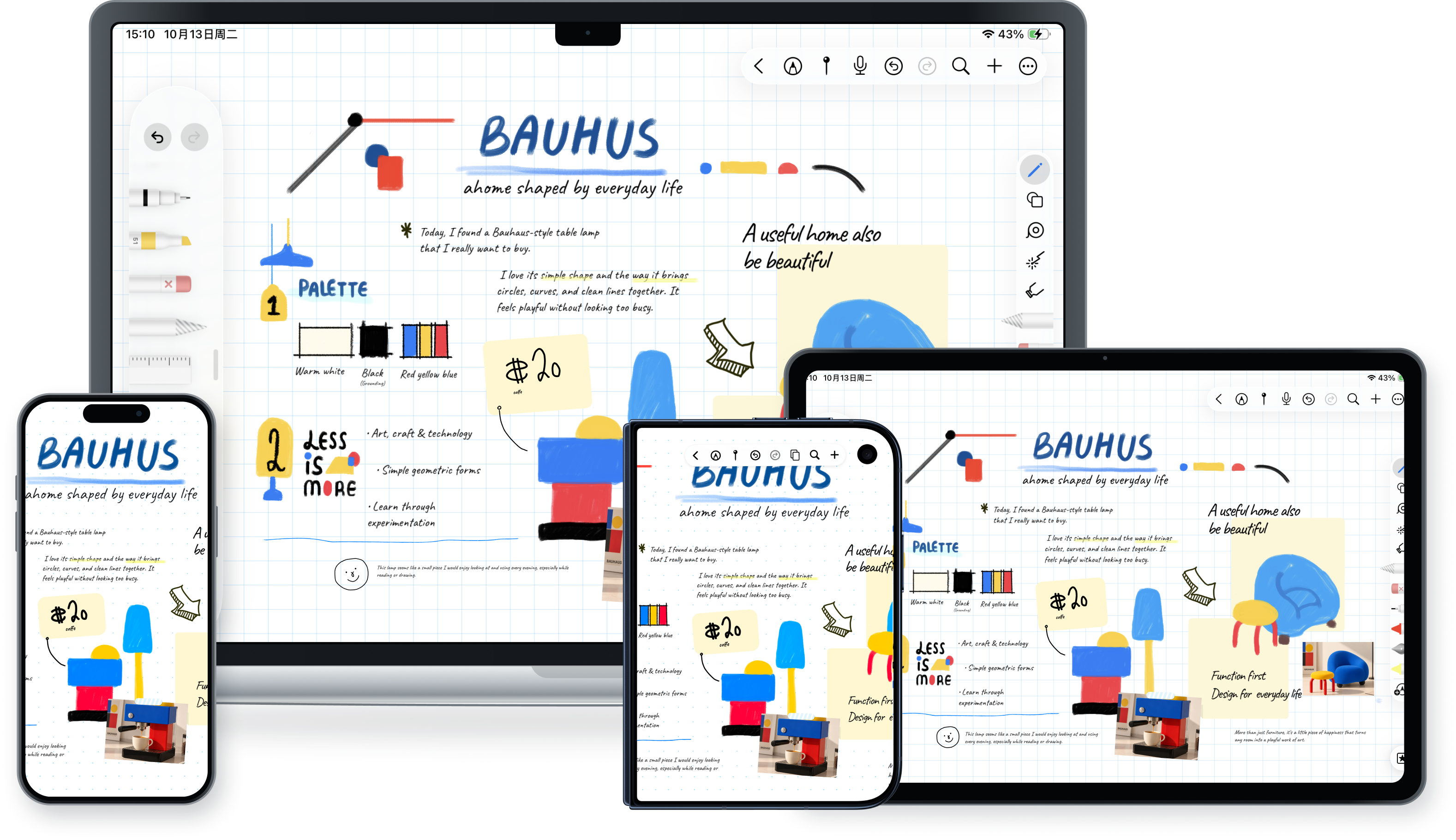


iCloud Sync
Start on iPad.Continue on iPhone or Mac.
Sign in with the same Apple Account and turn on iCloud sync
to sync notes across your devices and keep writing and organizing whenever you like.
It starts with your first note.
On iPad, iPhone, and Mac,
find your own way to take notes.